# Topic covered
* Docker introduction
  * namespaces
  * control groups
* Virtualization
  * Physical Machine
  * Virtual Machine(VM)
  * Container
* Docker Feature
* Virtualization and Containerization
Docker
Docker is an open-source containerization platform.
It allows you to package applications and all their dependencies (libraries, configs, runtime, etc.) into lightweight, portable containers.
These containers can run consistently on any environment: developer’s laptop, testing server, or cloud.
Unlike Virtual Machines (VMs), containers don’t need a full OS for each app; they share the host OS kernel, which makes them faster and more efficient.
It uses Linux Kernel features like namespaces and control groups to create containers on top of an operating system.
- Namespaces –> deal with
resource isolationfor a single process, allocate - pid, username - Cgroups –>
manage resourcesfor a group of processes, allocates - cpu, memory
Together, cgroups and namespaces were used to create a container technology called Linux Containers(LXC)
Light-weight version of VM- Runtime is less, Don’t need to boot os
Host(OS)
	|--Docker Engine
		|--Container
		|--Container
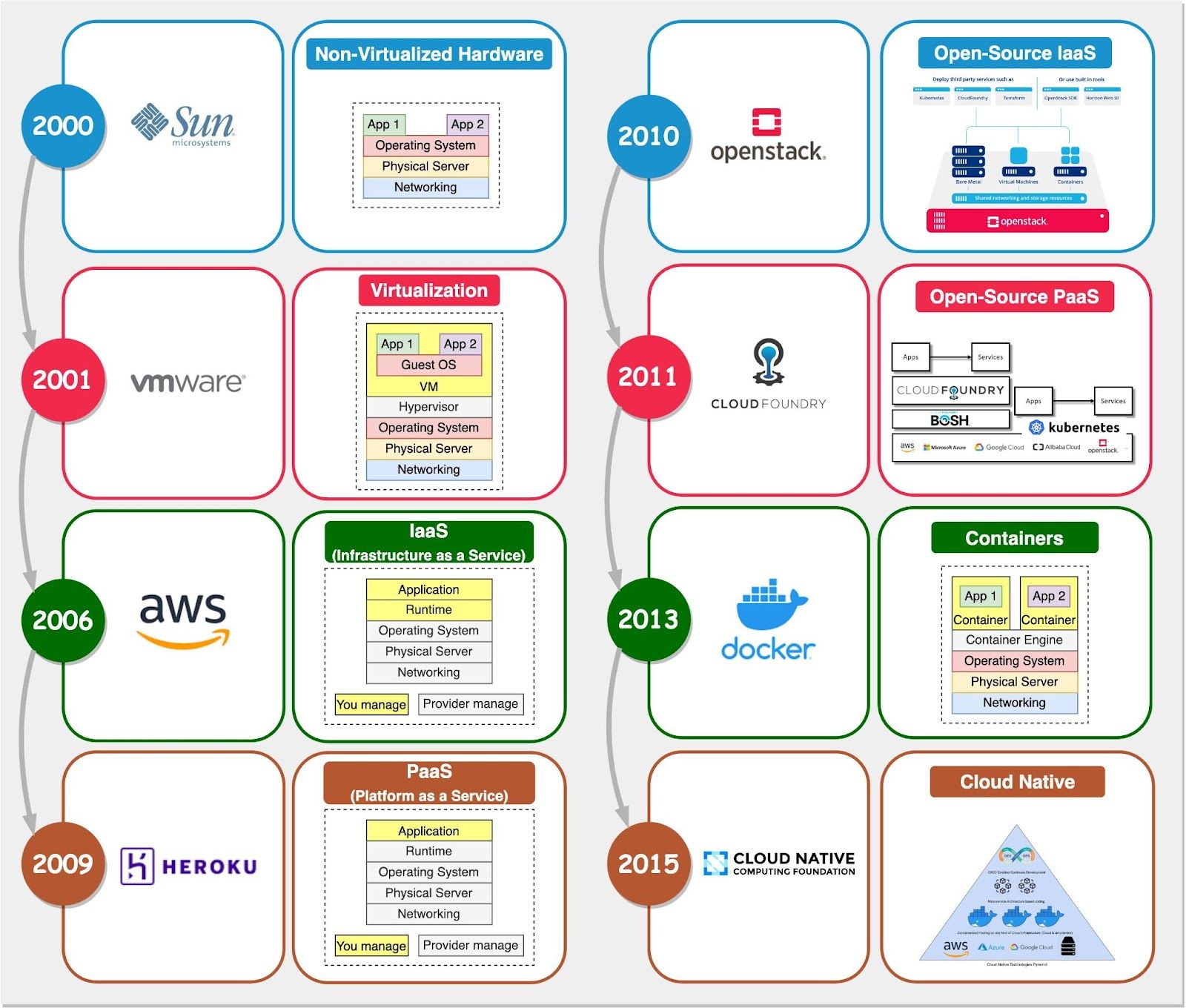
Problem statement
It works in my machine- Soln –> Isolation
- Physical
- Virtual Machine
- Container
Physical Machine
- Requirement
- One physical machine
- Runs
- One OS, One APP
- Problems
- Huge Cost
- Slow Deployment
- Hard to Migrate
Hardware
	|-- Operating System
		|-- Runtime Environment
			|-- Application
Virtual Machine(VM)
Hypervisor-based Virtualization- Traditional methods of virtualization
- Eg: VMware, Virtual Box, AWS, Azure
- VM are bulky—typically gigabytes in size.
- On top we install OS
- It’s resource hungry
- Requirement
- One physical machine
- Runs
- One/more OS and APP in different VM
- Benefits:
- Cost-Efficient
- Easy to Scale
- Limitations:
- Kernel Resource Duplication - Eg: OS
- RAM, Memory - wastage
- Application Portability Issue
Hardware
  |--HOST OS
	  |--VM
	  |	|--Guest OS
	  |	    |--Runtime Environment
	  |		    |--Application
	  |
	  |--VM
	  |	|--Guest OS
		    |--Runtime Environment
			    |--Application
Container
- Requirement
- One physical machine
- Runs
- One OS
- One or more Apps in different containers
- Benefits:
- Cost-Efficient
- Fast Deployment
- Guaranteed Portability
Hardware
  |--Host OS
      |--Container
	  |    |--Runtime Environment
	  |    	  |--Application
	  |
	  |--Container
	  |    |--Runtime Environment
	  |    	  |--Application
Docker Feature
Sometimes application that runs in 1 platform but fail in other, this does not happen with docker
- Ease of use
- To take advantage of containers in order to quickly build and test portable applications.
- The mantra is:
build once, run anywhere
- Speed
- Docker containers are
very lightweight and fast
- Docker containers are
- Docker Hub
- Docker Hub, which you can think of as an “app store for Docker images.”
- Modularity and Scalability
- Docker makes it easy to break out your application’s functionality into individual containers.
Portability- “Works on my machine” problem solved — Docker images run the same everywhere.
- Isolation
Virtualization and Containerization
On the virtualization side, we have open-source platforms like Xen and KVM. Then there’s VMware vSphere, Microsoft Hyper V, Oracle’s Virtual Box, and more.
For containers, Docker is the most popular container engine right now. We also have alternatives like rkt, Podman, and Containerd. When it comes to container orchestration, options include Kubernetes, Docker Swarm, and Nomad.
When use VM?
If you need to run multiple applications on multiple servers,
it probably makes sense to use VMs.
When use Docker?
- If you need to
run many copiesof a single application then docker offers some compelling advantages. - Security has also been an area of concern with Docker containers since containers share the same kernel, the barrier between containers is thinner.